Simplify Langfuse for Scale


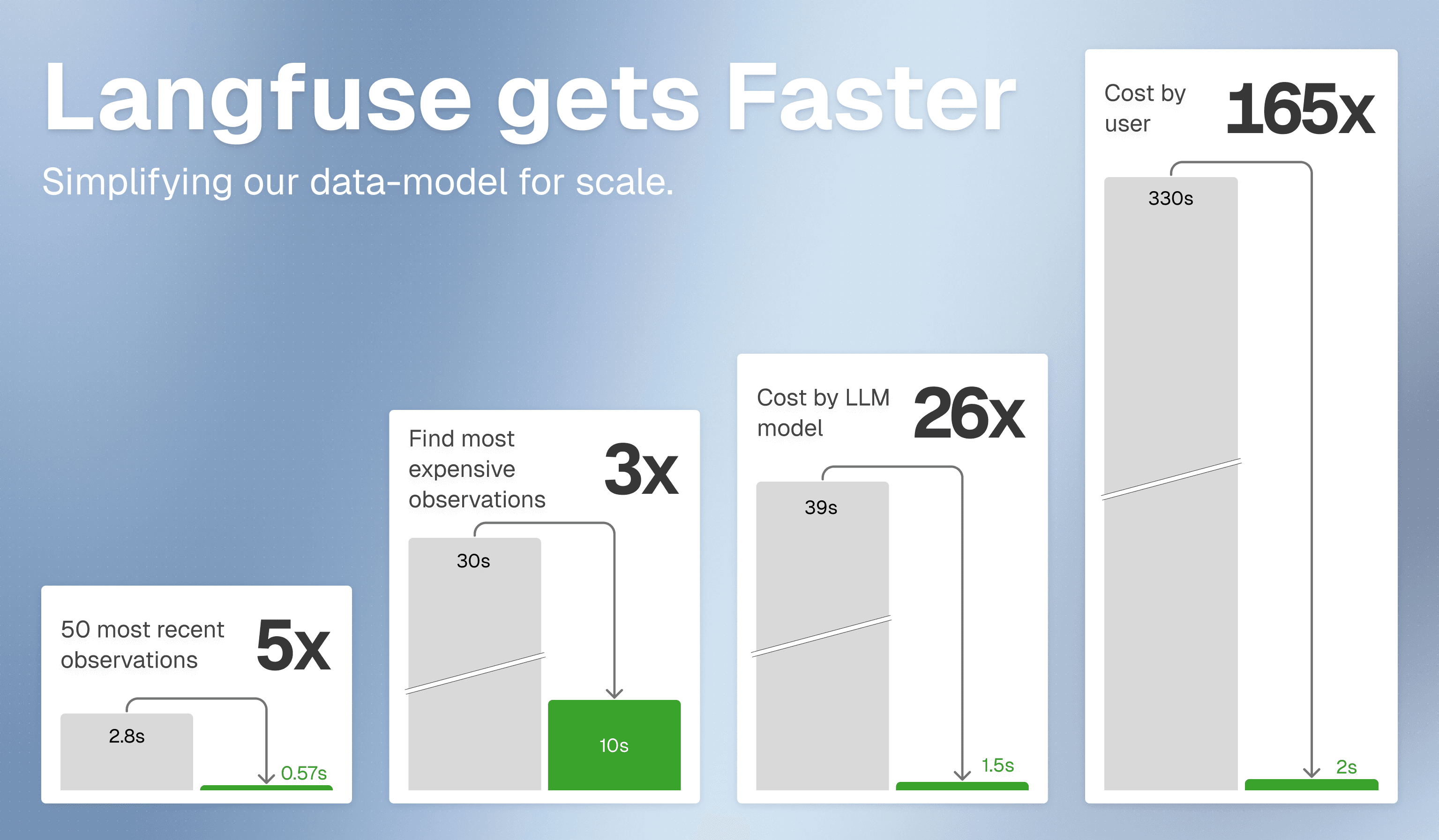
Langfuse now delivers faster product performance at scale. See the v4 overview for rollout details, access, and migration steps.
Langfuse is rolling out a simplified architecture built for significantly faster product performance at scale. Charts, filters, APIs are becoming much faster across Langfuse Cloud.
To avoid delays in the new experience and see your data in real time, upgrade to Python SDK v4 and JS/TS SDK v5.
What changes for you
The main table in Langfuse is now observations — every LLM call, tool execution, and agent step is a row you can query directly. As agentic applications grow more complex, a single trace can contain thousands of operations, and the interesting ones are rarely at the top level. trace_id works like any other filter column (session_id, user_id, score) to group related observations together. Filter by observation name, type, or model to surface the operations that matter most — then save that view for one-click access. See the guide on working with observations in v4 for common workflows and saved views to get started.
What's faster now
Faster product performance in the UI
Chart loading time is significantly shorter. You can now confidently load charts over large time ranges. Browsing traces, users, and sessions is also much faster, and filters respond more quickly in large projects.
Faster API workflows
The new Observations API v2 and Metrics API v2 are designed for faster querying and aggregations at scale.
Faster evaluation workflows
Observation-level evaluations execute in seconds as we do not need to query ClickHouse for each evaluation anymore.
Working with the new observations table
In v4, Langfuse uses a single unified observations table as the main exploration surface. All inputs, outputs, and context attributes live directly on observations, enabling faster filtering and aggregation at scale. As agentic applications produce traces with hundreds or thousands of operations, this flat, filterable table becomes more powerful than a grouped traces view as engineers need to find specific operations across traces, not just browse one trace at a time.
You will notice more rows than before. Each row is now one operation, not one trace. Use filters and saved views to focus on what matters. Most users start with one of these common views:
| View | How to set it up |
|---|---|
| Key operations | Filter by observation name or type matching your most important operations |
| Expensive LLM calls | Filter type = generation, sort by total_cost descending |
| Errors for a specific user | Filter user_id, level = ERROR |
| Slow observations in a session | Filter session_id, sort by latency descending |
See the full guide on working with the observation-centric data model in v4 for detailed before/after workflows, saved view setup, and upgrade steps.
Learn more
Check out our technical blog post on the new data model.